How to turn one idea into a Content Stack
Start with one useful idea. Build a main piece, then give each supporting piece a job.
We published a post called "A better brief before you ask AI to write." It opens with a discovery call. The prospect asks if you can work with their existing website. You say you'd need to look at it first. Then the AI follow-up email opens with "short answer is yes, we can definitely work with your existing site."
The post explains why that happens, shows a better brief, compares the before and after, and ends with a fill-in template.
That's enough material for more than one piece. Here's how we'd turn it into a Content Stack with a LinkedIn post about the email mistake and an email that shares the fill-in brief. Both are sample drafts, written to show the approach.
The content map for this article
Before writing anything, we'd fill in a map. It gives each piece one job.
- Core idea: AI guesses when you don't give it enough context
- Blog post: Explains the full brief, with the before-and-after example, the four things a brief should include, and the copyable template
- LinkedIn post: Focuses on the moment AI says yes too soon
- Email: Gives readers the fill-in template they can use today
That's the whole plan. Each line points to a different part of the same article.
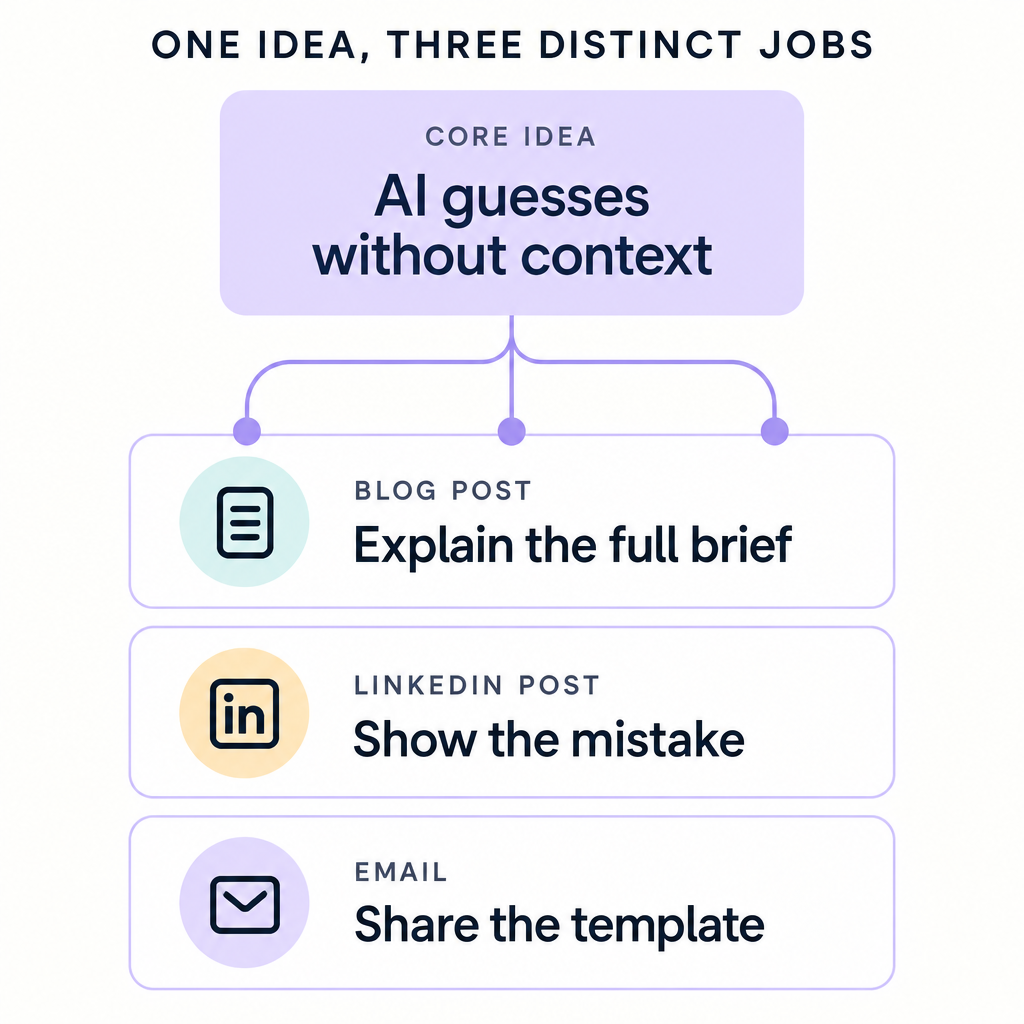
Why each piece gets a different job
A common mistake with repurposing is reformatting. You take a blog post and say the same thing in shorter sentences. Or you send an email that says "I published a post about X, click here." The reader gets the same idea twice and nothing new to do with it.
So we'd give each piece a different angle based on where someone reads it.
The LinkedIn post focuses on the mistake because people read LinkedIn in a feed. A specific moment, like AI saying "yes" when you said "let me look first," is easier to recognize than a general point about AI. The post has to work for someone who never opens the link.
The email focuses on the template because an email should give the reader something to use. The fill-in brief is short and concrete. It fits in the body of the message, so the reader doesn't have to click anywhere to get it.
The blog post does the full explanation because it has room for the before-and-after example and the reasoning behind each part of the brief. The other two pieces point back to it, but neither tries to replace it.
Each piece works on its own, whether or not someone reads the other two.
Sample LinkedIn draft
Here's an excerpt from the sample LinkedIn draft:
You just wrapped a discovery call with a promising prospect. You open your AI tool and type "write a follow-up email."
Thirty seconds later, you've got a polished draft. Professional tone, clean structure.
But look closer.
The prospect asked if you can work with their existing website. You told them on the call you'd need to look at it first. The AI opened with "short answer is yes, we can definitely work with your existing site."
That's not what you said.
The draft goes on to list the four things a better brief includes, without explaining each one. The before-and-after example and the template stay in the blog post. The LinkedIn draft names the mistake and gives enough of the fix to make the full post worth reading.
Sample email draft
Here's enough of the sample email draft to show how it delivers the template:
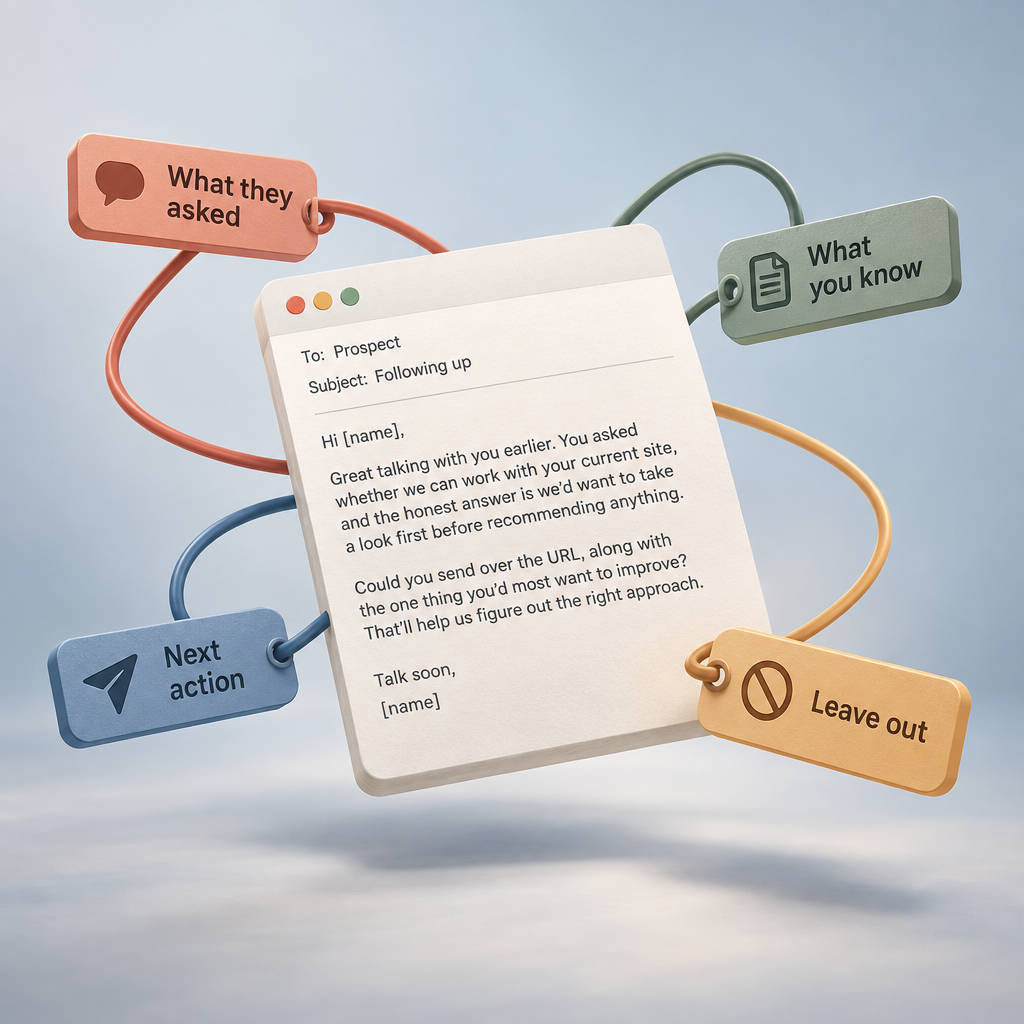
Subject: The brief I use before asking AI to write anything
Hi [name],
You know that feeling when AI gives you something polished but slightly wrong? Like it confidently answers a question you didn't actually answer on the call?
Here's the brief I use now before I ask AI to write anything:
"Write [piece] for [reader]. They need to understand [point]. Use these facts [facts]. Ask them to [next action]. Leave out [anything we haven't confirmed]."
Fill in the blanks before you hit generate. That last part, "leave out," is the one that saves the most cleanup time. Without it, AI adds timelines, pricing, or promises you didn't make because it's trying to sound helpful.
I wrote a longer post about this with a before-and-after example. You can read it here: A better brief before you ask AI to write
But you don't need to read it to use the brief. Copy the template above and try it once this week.
The email skips the story and puts the template in the body. The blog link is there for anyone who wants the longer version, but the email doesn't depend on it.
How this works in zenna
zenna is your small business OS, and Content Stacks is the workflow for this kind of work. You start with the published blog post as the source. Then you add a LinkedIn draft and an email draft, each with source notes that give it a job. For this article, the LinkedIn notes would say "focus on the email mistake where AI says yes too soon." The email notes would say "share the fill-in brief in the email body and make the blog link optional."
AI generates each draft from the same source, following the job you gave it. Then you review each one, cut anything that doesn't serve that job, and publish or send it.
A content map you can copy
Pick one post you've already published. Fill this in before you write anything else:
- Core idea: [the main point of your published post]
- Blog post: [the full explanation with examples and context]
- LinkedIn post: [the story, mistake, or moment that makes someone stop scrolling]
- Email: [the tool, template, or resource they can use today]
When you're drafting, check each piece against its line on the map. If it's summarizing the blog post again, it needs a different angle.
If you want to build the stack in zenna, see how Content Stacks work.
Back to zenna blog